Your job seekers rarely see the page that sells to employers
AEC Tech Jobs makes its money from employers, and what employers buy is your audience: the people searching the board for work. You have that audience. It is getting smaller, and almost none of it ever sees your offer to employers. This audit fixes both, starting with the changes that put the traffic you already have to work.
Here is what your Google Analytics shows.
- The audience you sell is shrinking. Real visitors opened about 16,600 pages in June and 9,300 in October, leaving out your own test pages and bot traffic.
- Very few visitors see the employer offer. For every 100 times someone opened a job, the pricing page was opened less than once. The only way there is the "Post a job" link in the menu.
- You can't see what brings in a paying employer. Analytics records no sign-ups, posted jobs or payments, and only a fraction of apply clicks, so there is no way to tell which page or channel leads to a sale.
- Google lost you more visitors than any other source, and that part is fixable. Visits from Google fell by a third, from 1,757 in June to 1,177 in October, and most job pages Google sends people to have already closed (37 of the 40 we checked).
The eight fixes below follow that order. First you can see which visitors become paying employers, then more of your current visitors meet the employer offer, then the search work that grows the audience back. Fixes 1, 3, 4 and 5 can go as written to your developer, Bubble's AI, or Claude or Codex connected to your app. Fixes 2, 6, 7 and 8 need one of you to approve the wording.
Page views from real visitors, January to October 2026
Internal test versions, /admin and two countries that behave like bots are left out. Dark bars cleared the 15,000 that /pricing quotes.
Where the views went
The fall since June is spread across Google, LinkedIn and partner sites, so it doesn't point to one cause. Google lost the most in absolute terms. LinkedIn has fallen furthest over the year: it sent 1,282 visits in January and 120 in October.
Your internal test versions grew at the same time. Pages under /version-test and /version-13jhk drew 151 views in June and 2,095 in October. That fits the internal work you mentioned, and it means the raw Analytics total looks better than the public number. Fix 1 takes those pages out of the count.
Two sources are bigger than they look. ADDD has sent about 2,600 visits in 16 months, more than your own Substack's 2,359, and it fell from 317 in June to 89 in October. ChatGPT, Gemini and Perplexity sent about 790 visits together, but Analytics files only 182 of them as AI, so that channel undercounts four to one.
Page views by where the visit started, June and October 2026
Direct includes most of the internal test-page views, so its real fall is larger than shown.
Where those views land, July 2025 to October 2026
Seekers search and read jobs. Very few of them ever see the page that sells to employers.
Fix order
Each fix is tagged with who does it. Anything marked Agent comes with a prompt you can paste into Bubble's AI, give to Claude or Codex connected to your Bubble app through its API or an MCP server, or hand to your developer.
If you'd rather not do it yourselves, we can do all eight fixes for you, including the build work in Bubble.
- 1Count sign-ups, posted jobs, payments and apply clicks
Every later fix gets judged on these. Today Analytics counts none of them reliably, and it counts your test pages as visitors.
- 2Put /pricing in front of the people already on the board
A "post a job like this" box on every job page, and no more empty sections or dead buttons on /pricing.
- 3Closed jobs point to open roles like them
Easy Apply goes, up to six open roles with real links take its place, and closed jobs come off the list you give Google.
- 4Open jobs show up in Google's job listings
Add the job details Google reads, then tell Google the moment a job opens or closes.
- 5One address per page
Point the /version-live/ copies at the real pages and stop the site and newsletter making new ones.
- 6Five pages for the job searches that describe you
Construction tech jobs, BIM jobs, VDC jobs, proptech jobs and contech jobs: 1,590 US searches a month and no page for any of them.
- 7A page for people moving from AEC into tech
Map each AEC job to the construction tech titles it leads to, with links to open roles under each title.
- 8Tidy the AEC Tech Hub homepage
It still sells a workshop that happened on 10 September. Small, and last, since agency clients come to you another way.
Fixes 1 and 2 put the traffic you already have in front of the employer pitch, and let you see what it earns. Fixes 3 to 7 grow the traffic itself.
Count sign-ups, posted jobs, payments and apply clicks
In 16 months Analytics recorded 240,578 page views and not one sign-up, posted job or payment. Apply clicks aren't tracked either. Its automatic link tracking caught 433 clicks leaving a job page, against 67,650 job page views. Either most apply clicks go unrecorded, or fewer than 1 job view in 100 ends in an apply. Today there is no way to tell which.
That's why we can't tell you today how many /pricing visitors become paying employers, or whether the 116 visits back from Stripe's checkout were sales. Once these are counted, the same data does a lot more than fill a report.
- Spend where employers come from. You'll see whether paying employers arrive from Google, the newsletter, LinkedIn or ADDD, and can put your time there instead of guessing.
- Make ads pay for themselves. If you ever run Google or LinkedIn ads, the ad platforms can learn from real payments rather than clicks. You can also show ads again to employers who opened /pricing and didn't post.
- Follow up on lost sales. An employer who starts checkout and stops is a warm lead. Today they vanish. With the count, you can see them and send a nudge.
- Sell with apply clicks, not page views. Telling an employer how many people clicked apply on their role is a stronger reason to renew or move to Growth than a site-wide view count.
- Prove value to partners and sponsors. ADDD and any sponsor can see how many visits and applies they sent, which helps you keep and price those deals.
- Judge every other fix here. Fixes 2 to 8 are all measured against these numbers, so this one goes first.
The same fix cleans the count. Internal test versions, /admin and bubble.io currently count as visitors, and Stripe counts as the place a paying employer came from, which wipes out the real source of the sale.
Agent prompt for fix 1 Bubble editor
You are working in the Bubble editor for aectechjobs.com. Google Analytics (property 461447037) already loads on every page. Add event tracking for the actions that earn money, and stop internal pages from counting as visitors.

1. Load the Google tag only on the live version. Wrap the tag in the page header so it runs only when the URL has no /version-test, /version-13jhk or /version-live segment and is not /admin. Show me the condition before you save it.

2. Send these events with gtag('event', ...) from a "Run javascript" action (Toolbox plugin) at the end of each workflow, after the step that saves to the database:
   - sign_up, when a new user account is created. Parameter: account_type = "employer" or "seeker".
   - job_posted, when an employer saves a new job. Parameters: job_id, company, plan.
   - begin_checkout, when an employer clicks a plan's button on /pricing. Parameters: plan, value (0, 2000 or 3500), currency "USD".
   - purchase, when the user returns from Stripe checkout and the payment is confirmed in the database. Parameters: transaction_id (the Stripe session or payment id), value, currency "USD", plan. Send it once per payment, never on a page refresh.
   - apply_click, when a seeker clicks Easy Apply or an external apply link on an open job. Parameters: job_id, company.
   - contact_open, when any "Talk to the team" or "Contact us" button opens the contact form.

3. Do not send names, emails or any other personal details in any event.

4. Test each event in Google Analytics, Admin, DebugView, on the live site, and send me a screenshot of all six firing.
Your team's part Google Analytics admin and the newsletter
- In Google Analytics, Admin, Events: once the new events have fired, mark sign_up, job_posted, purchase and apply_click as key events.
- Admin, Data streams, your web stream, Configure tag settings, List unwanted referrals: add
checkout.stripe.comandbubble.io. - Admin, Data settings, Data filters: create an internal traffic filter and turn it on, so team visits stop counting once the developer marks them.
- From the next newsletter on, add
?utm_source=newsletter&utm_medium=email&utm_campaign=plus the issue date to every board link. Ask ADDD to use?utm_source=addd&utm_medium=referralon links to the board.
Put /pricing in front of the people already on the board
A job page is where a hiring manager is most likely to be on your board: checking a competitor's listing, or a role they posted. Today the page has nothing for them. "Post a job" sits in the top menu and nowhere else, and /pricing drew 39 views in October against thousands of job page views.
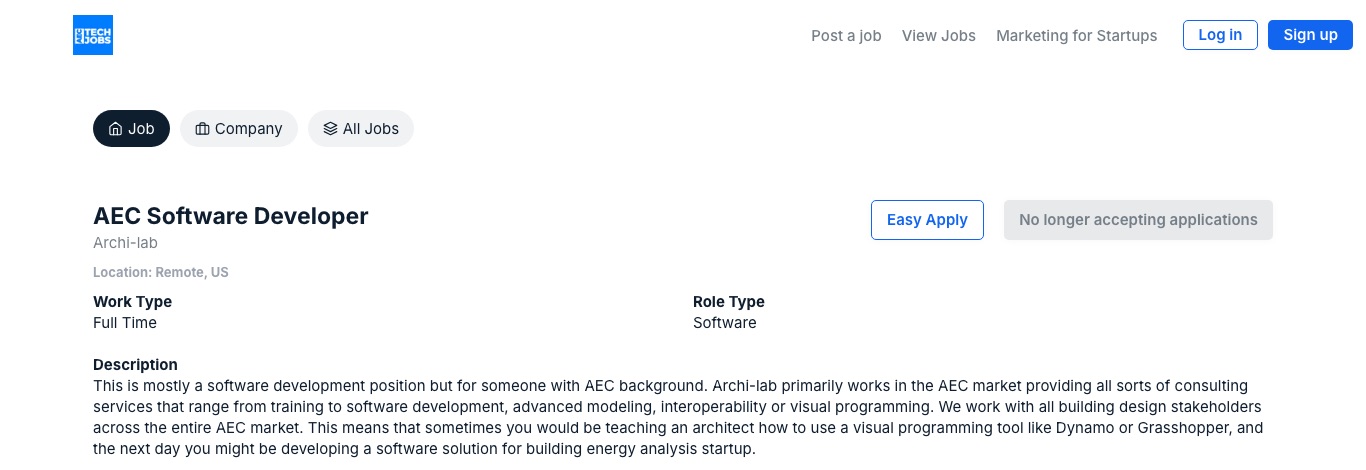
Of the 557 times /pricing was opened in 16 months, 248 came from a typed address or a link Analytics can't see, 129 from Google and 30 from LinkedIn. Only 23 visits from Google started on /pricing, while 840 searches a month in the US look for ways to post construction and AEC jobs. Google shows the page as "AEC Tech Jobs", the same name as your home, about and marketing pages, so it has nothing that matches those searches.
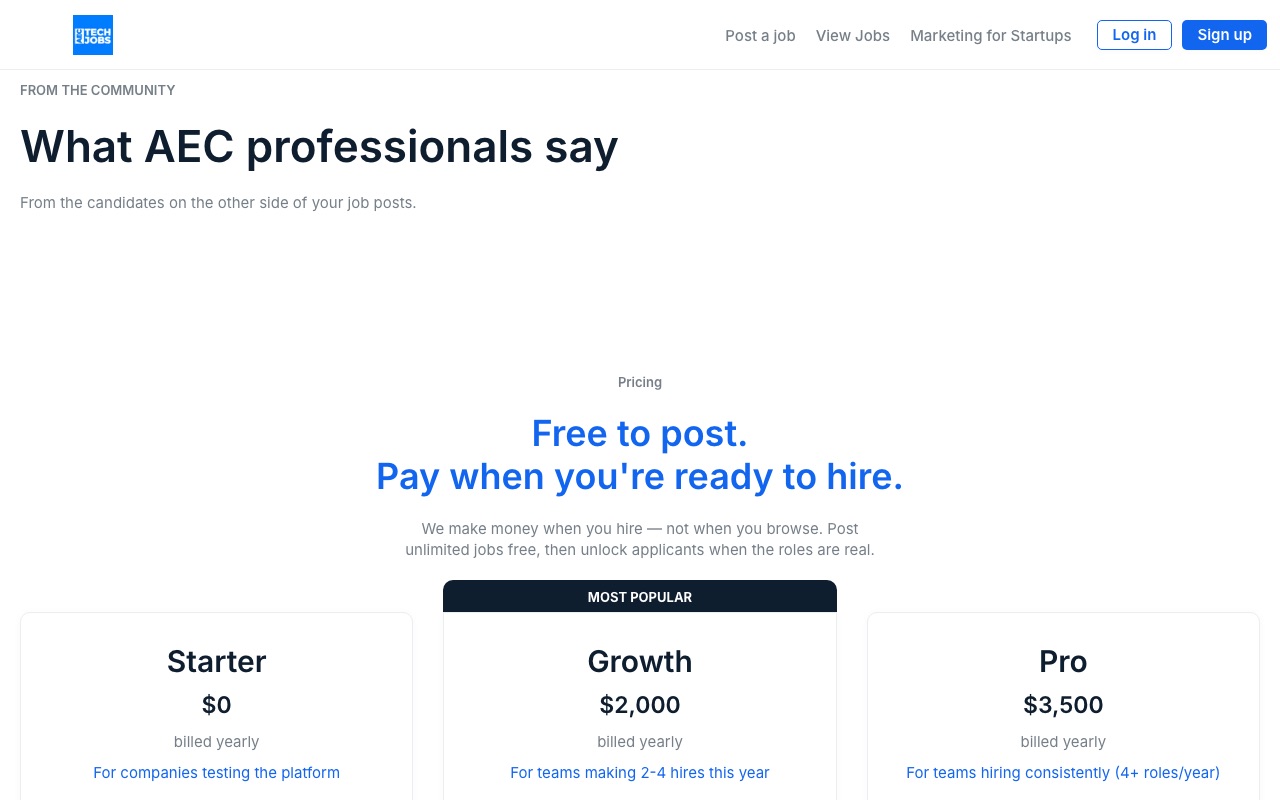
On the page itself, two things undercut the pitch. "What AEC professionals say" sits over an empty space, and "Talk to the team" scrolls the page instead of reaching anyone.
How the plan works
This isn't a change to your prices. Starter at $0, Growth at $2,000 and Pro at $3,500 a year stay as they are. The plan is about who sees them, and what moves a free employer to pay.
- Catch hiring managers where they already are. A box on every job page, open or closed: "Hiring for a role like this? Post unlimited jobs free." It speaks to the recruiter checking a competitor's listing or their own post, and the ask is free, so there is nothing to weigh up.
- Get them onto Starter. Free posting is your first step already. The box sends them to sign-up, not to the price table, so the first yes costs them nothing.
- Show them what they're missing. On Starter, applicants click through to the employer's own site, so the employer never sees how many came from you. Once fix 1 counts apply clicks, a free employer's dashboard can say "Your role got this many apply clicks this month. Upgrade to Growth to see who." That's the moment your own line, "Pay when you're ready to hire", becomes true.
- Fix the two things on /pricing that make employers doubt it. When a hiring manager lands on /pricing today, two things work against you:
- "What AEC professionals say" has no quotes under it. Add two or three real quotes from job seekers, or take the heading down until you have them.
- "Talk to the team" only scrolls the page. Point it at the contact form that "Contact us" already opens, so someone ready to buy can reach a person.
- Let Google send employers straight there. About 840 searches a month in the US look for ways to post construction and AEC jobs. Giving /pricing its own name in Google, "Post AEC and construction tech jobs free", gives it a chance at those.
Steps 1, 2, 4 and 5 are in the prompt below. Step 3 needs fix 1 first, and it's a product change, so it's your call.
Agent prompt for fix 2 Bubble editor
You are working in the Bubble editor for aectechjobs.com. Part one is new. Part two is the page names and headings.

PART ONE, the road to /pricing
1. Job page (open and closed): under the related roles, or under the listing if there are none, add a group with the heading "Hiring for a role like this?", the line "Post unlimited jobs free, then unlock applicants when the role is real." and a Link element (a real <a href>, not a workflow button) labelled "Post a job free" that goes to the free employer sign-up, the same place the "Post jobs free, no card needed" button on /pricing leads. If that sign-up is a popup with no page of its own, link to /pricing?signup=employer and open the popup on load when that parameter is present. Tell me which you did. Add the same group to the new job list pages when they exist.

PART TWO, page names and headings
1. Page titles (Page > SEO / metatags). Set these and show me the list before publishing:
   - index: "AEC Tech Jobs | Construction tech, BIM and VDC jobs"
   - pricing: "Post AEC and construction tech jobs free | AEC Tech Jobs"
   - about: "About AEC Tech Jobs and its three founders"
   - marketing: "Marketing for AEC tech startups | AEC Tech Hub"
   - job (dynamic): "{Job title} at {Company} | AEC Tech Jobs" when open, "{Job title} at {Company} (closed) | AEC Tech Jobs" when closed
   - event (dynamic): "{Event name}, {month year} | AEC Tech Jobs"
   - search: "Search construction tech jobs | AEC Tech Jobs"
   Write a one-sentence meta description for each from the page's own copy. Do not add claims that are not on the page.
2. Main heading: on each page, set exactly one text element's HTML tag to H1 (in Bubble: the text element's "HTML tag" or "Tag" setting). Use:
   - index: the hero line "Connecting You to the Future of AEC and Tech"
   - pricing: "Hire AEC & ConTech talent without the recruiter fee"
   - job: the job title
   - event: the event name
   Other section headings become H2.
3. /pricing: hide the "What AEC professionals say" group entirely while it has no testimonials (condition: when the testimonials list count is 0).
4. /pricing: change the "Talk to the team" button's workflow so it opens the same popup as "Contact us".
5. /marketing: add a line at the top "Our agency now lives at AEC Tech Hub." with a Link element to https://aectechhub.com/.

Report back with a screenshot of /pricing after the change and the title of each page as shown in view-source.Closed jobs send people to open roles like them
Most job pages Google sends people to have closed. We opened 40 job pages spread evenly across the 4,313 your site lists for Google, and 37 no longer took applications. Of the 32 job pages that drew a visit from Google between 21 and 31 October, 30 were closed on 2 November.
A closed page still shows a blue Easy Apply button beside "No longer accepting applications", and it offers no open role. View Jobs and All Jobs are buttons that run an action, which Google can't follow, so to Google a job page links nowhere. Seekers who land there leave, and those seekers are the audience employers pay to reach.
Closed pages should stay up, because some still get visits and shares. What changes is what they show, and that they come off the list of pages you ask Google to visit.
Agent prompt for fix 3 Bubble editor
You are working in the Bubble editor for aectechjobs.com. Change what the job page shows when a job is no longer accepting applications. Do not change open jobs except where step 5 says so.

1. On the job page, when Current Page's Job is closed (use whichever field drives the "No longer accepting applications" button today), hide the "Easy Apply" button and the "No longer accepting applications" button.
2. In their place, show a banner at the top of the page: "This role has closed. Here are open roles like it." Under it add a short line: "Posted by {Company}. Closed on {close date}." Leave out the date if the job has no close date field.
3. Under the banner, show a repeating group of up to 6 open jobs. Sort: same category as this job first, then same company, then newest first. Exclude the current job. Each cell must be a Link element (not a group or button with a workflow) whose destination is that job's page, so the page's HTML contains a normal <a href> to each job.
4. Keep the original listing text, unchanged, below the repeating group under a heading "The original listing".
5. Replace the "View Jobs" and "All Jobs" buttons on the job page with Link elements pointing to https://aectechjobs.com/search. Do this on open jobs too.
6. Closed job pages must keep loading normally. Do not redirect them and do not make them return an error.
7. Remove closed jobs from the sitemap. In Settings > SEO / metatags, check how Job pages are added to sitemap.xml. If the sitemap can be limited to jobs that are open, do that. If Bubble cannot filter it by status, stop and tell me what the options are before changing anything.

Test on:
- https://aectechjobs.com/job/bjarke-ingels-group-senior-rhino--computational-specialist (closed on 2 November 2026)
- https://aectechjobs.com/job/buildots-business-process-manager (open on 2 November 2026)

Report back with a screenshot of each page, the view-source lines showing the six <a href> links on the closed page, and the sitemap.xml job count before and after.
The numbers behind this 3 samples
| Sample | Closed | How we read it |
|---|---|---|
| Every hundredth or so of the 4,313 job pages in your sitemap | 37 of 40 | Each page opened in a browser, 3 seconds apart, 2 November |
| Top 12 job pages by Google visits, 21 to 31 October | 11 of 12 | Only the 4M Analytics role was open |
| Next 20 job pages by Google visits | 19 of 20 | Same check |
| Links Google can follow on a job page | 0 | View Jobs and All Jobs work for people, not for Google |
Open jobs show up in Google's job listings
For job searches, Google often puts a box of listings above the usual results. A page gets in only if it carries a short block of job details Google can read: title, company, location or remote, date posted, and the date it stops taking applications. None of your job pages has it, so that box goes to Indeed, ZipRecruiter and LinkedIn.
This one also sells. "Your role appears in Google's job listings" is a line an employer understands, and today Indeed can say it and you can't.
Your listings also have something going for them here: they're current. On 5 November the oldest open job on the board had been posted 88 days earlier, which suggests jobs close themselves at about 90 days (you'd know for sure). The three listings Google showed were 4 to 7 days old, and all three reached Google through other job boards (Learn4Good, Expertini and JobLeads). Once your pages tell Google the date a role was posted and the date it closes, it's possible Google picks your listing over the same role on another board. We can't promise that. Google decides what goes in the box, and it doesn't say how.
Once the details are on the page, a Bubble backend workflow can tell Google each time a job opens or closes, so Google rereads it soon after instead of on its next visit. Google allows 200 of these a day by default, which covers your daily posting. It speeds Google up. Google still decides what it shows.
Agent prompt for fix 4, part one the job details
You are working in the Bubble editor for aectechjobs.com. Add Google JobPosting structured data (JSON-LD) to the job page, only when the job is open.

1. On the job page, add an HTML element (or use the page's header script field) that outputs a <script type="application/ld+json"> block. Show it only when Current Page's Job is open. When the job is closed, output nothing.
2. Fill it from the Job's fields:
   - "@context": "https://schema.org", "@type": "JobPosting"
   - "title": the job title only, no company name
   - "description": the full listing as HTML (Bubble's :formatted as HTML), with quotes and line breaks escaped so the JSON stays valid
   - "datePosted": the posted date, formatted YYYY-MM-DD
   - "validThrough": the closing date if there is one, as an ISO 8601 date and time
   - "employmentType": FULL_TIME, PART_TIME, CONTRACTOR, TEMPORARY or INTERN, mapped from the job type field
   - "hiringOrganization": { "@type": "Organization", "name": company name, "sameAs": company website, "logo": company logo URL }
   - For on-site or hybrid jobs: "jobLocation": { "@type": "Place", "address": { "@type": "PostalAddress", "addressLocality", "addressRegion", "addressCountry" } }
   - For remote jobs: "jobLocationType": "TELECOMMUTE" and "applicantLocationRequirements": { "@type": "Country", "name": the allowed country }
   - "baseSalary" only if the job lists pay: { "@type": "MonetaryAmount", "currency": "USD" or the listed currency, "value": { "@type": "QuantitativeValue", "minValue", "maxValue", "unitText": "YEAR" or "HOUR" } }
   - "directApply": false, unless Easy Apply really submits an application on this site
3. Leave out any property whose field is empty. Never output placeholder text.
4. If the Job type is missing a field this needs (for example remote or country), list what is missing and stop before adding fields.
5. On open jobs, relabel the "Easy Apply" button "Join the Easy Apply waitlist" until Easy Apply submits an application. Do not change what it does.

Test on https://aectechjobs.com/job/buildots-business-process-manager with Google's Rich Results Test (https://search.google.com/test/rich-results) and report the result, with a screenshot. Then confirm a closed job outputs no JobPosting block.
Agent prompt for fix 4, part two telling Google about changes
Do this only after part one passes Google's Rich Results Test. You are working in the Bubble editor for aectechjobs.com.

Goal: call Google's Indexing API when a job is posted, edited or closed.

Before you start, a person on the team must:
- In Google Cloud, create a project, enable the "Web Search Indexing API", and create a service account with a JSON key.
- In Google Search Console for aectechjobs.com, add the service account's email as an Owner (Settings > Users and permissions).
Ask for the service account email and key. Never paste the key into a page, a workflow visible to users, or this chat log.

1. In the API Connector, add a call named "Google Indexing publish":
   POST https://indexing.googleapis.com/v3/urlNotifications:publish
   Auth: OAuth 2.0 with the service account (JWT bearer, scope https://www.googleapis.com/auth/indexing). If the API Connector cannot sign the token, use a small serverless function (for example Cloudflare Workers or Google Cloud Functions) that holds the key and makes the call, and call that function from Bubble instead.
   Body: { "url": "<job page URL>", "type": "URL_UPDATED" }
2. Backend workflow "notify_google_job": takes a Job, builds https://aectechjobs.com/job/{slug} (never a /version-live/ URL), and calls the API.
3. Trigger it from database triggers: when a Job is created as open, when an open Job's title, description, location, pay or closing date changes, and when a Job changes from open to closed. Use URL_UPDATED in every case: the page still exists, and after part one Google will see the job details gone when the job closes.
4. Log each call (job, URL, time, response code) to a new data type so we can check it.
5. Do not loop over existing jobs. Google allows 200 calls a day by default.

Report back with the log rows for one test job you open, edit and close, and the response codes.One address per page
A full second copy of the board sits under /version-live/. Google showed 314 of those addresses in search, and 28 of its 211 visits in late October landed on them. Over 16 months, 1,657 visits from Google started on a /version-live/ job page.
It keeps growing because the site and the newsletter keep linking to it. All 21 links we followed from a /version-live/ page kept the prefix, and 315 of the 891 board links in your Substack archives use it. Each copy splits Google's attention between two addresses for the same job.
Agent prompt for fix 5 Bubble editor
You are working in the Bubble editor for aectechjobs.com. Bubble serves the live app at both https://aectechjobs.com/{path} and https://aectechjobs.com/version-live/{path}. Google has found 314 /version-live/ URLs. Make the address without /version-live/ the only one that counts.

1. Canonical on every page: in each page's header (or Settings > SEO / metatags > script in the header, if it can read the current path), output
   <link rel="canonical" href="https://aectechjobs.com/{path without /version-live/}">
   For dynamic pages (job, event), build the path from the Thing's slug, not from the current URL. Strip query strings except ones that change the page content.
2. Redirect: add this to the site-wide header script so people and Google's renderer move to the clean URL:
   <script>if (location.pathname.indexOf('/version-live/') === 0) { location.replace(location.pathname.replace(/^\/version-live/, '') + location.search + location.hash); }</script>
   If Bubble offers a server-side redirect for this path on our plan, use that instead and tell me.
3. Internal links: find every link, "Go to page" action and repeating group cell that builds a URL relative to the current page. Change them so they always produce https://aectechjobs.com/{page} with no /version-live/ prefix. Check the search page, job cards, event cards, the header and the footer.
4. Do not add /version-live/ to robots.txt. Google must be able to open those pages to see the canonical and the redirect. robots.txt should keep disallowing /version-test/ only.

Test: open https://aectechjobs.com/version-live/search, confirm it lands on https://aectechjobs.com/search, then open a job from it and confirm the URL has no /version-live/. View source on a job page and paste the canonical line. Report anything you could not change.Five pages for the job searches that describe you
People search for exactly what the board is, and no page on the board answers. Today every job list lives behind /search, which Google sees as one empty page until someone sets a filter.
US searches a month, and who Google shows first
Indeed, ZipRecruiter or LinkedIn holds the top result for each.
Each of the five gets a page with a real address, a two-sentence intro, and the open roles under that term as links Google can follow. These pages also give the closed job pages from fix 3 somewhere to point.
The construction tech page can list every open job, because every job on the board fits. The other four need a tag the board does not have yet. Today a job carries one tag, its Role Type (Software, Sales, Architecture and 15 more), picked by the employer. Nothing marks a job as BIM, VDC or proptech, and only 10 of the 598 open titles say BIM, VDC or Revit. Adding that tag is its own piece of work, covered in Something else we found below. The construction tech page doesn't need to wait for it.
Places work the same way. Each job already stores a location, and 145 of the 598 are remote. The biggest cities are San Francisco (83), New York (39), London (29) and Austin (19). Google suggests "construction tech jobs near california" and "near texas" for this search, but in the US the city and state versions draw too few searches to measure. "Remote BIM jobs" draws 110 a month and "remote construction jobs" 1,300. So we suggest one Remote filter on every term page now, with city pages left until a place holds enough open roles to fill one.
Agent prompt for fix 6 Bubble editor
You are working in the Bubble editor for aectechjobs.com. Build five category pages that Google can read without anyone using a filter.

Pages and terms:
- /construction-tech-jobs  "Construction tech jobs"
- /bim-jobs                "BIM jobs"
- /vdc-jobs                "VDC jobs"
- /proptech-jobs           "Proptech jobs"
- /contech-jobs            "Contech jobs"

First, tell me which Job fields could decide membership (category, tags, keywords, title). If there is no category or tag field, propose one and stop for my answer before building.

For each page:
1. Page title: "{Term} | Open roles on AEC Tech Jobs". Meta description: one sentence naming the term and that roles are updated as employers post them.
2. One main heading, the term itself, for example "BIM jobs".
3. Under it, two sentences in the voice of the existing homepage and /pricing copy: who these roles are for, and that every role is in architecture, engineering, construction or construction tech. Do not invent counts, salaries or company names. Show me the five drafts before publishing.
4. A list of open Jobs matching the term, newest first, up to 50. Each item is a Link element to the job page (a real <a href>), showing title, company, location or Remote, and date posted. Closed jobs never appear.
5. If no open Job matches, show: "Nothing open under {term} right now. These are the closest:" and list open jobs from the nearest category. Never show "There are no results".
6. Under the list, links to the other four category pages and to /search.
7. A newsletter sign-up using the existing component.
8. Add the five pages to the sitemap. Link to them from the footer on every page and from the homepage "Featured Jobs" block when it is empty.
9. These pages must not exist under /version-live/ in any link you add.

Report back with the five URLs, a screenshot of each, and view-source proof that job links are <a href> elements.A page for people moving from AEC into tech
"Careers in construction technology" draws 590 US searches a month, and related career terms another 90. In 10 Reddit threads with 367 comments, people from GCs, architecture and engineering ask the same thing: which titles do I search for?
Stefanie answers that question on LinkedIn for 18,112 followers, and none of it lands on a page you own. One page that maps each AEC job to the tech titles it leads to, with open roles linked under each, gives that audience somewhere on the board to go.
Something we can do for you, if it helps
Stefanie and you both post on LinkedIn and in the newsletter, and very little of it reaches the website. It might be worth pulling some of that onto the site, and we can do this for you as a separate piece of work.
- We collect what Stefanie and you have posted on LinkedIn and in the newsletter.
- We match it against what people actually type into Google, like the 590 a month who search "careers in construction technology".
- We write five long articles from it, in your own words, each built around one of those searches and linking to the job lists from fix 6. You approve every one before it goes up.
Five articles on the same subject also show Google what the board is about as a whole, which helps it place the job pages for the same searches. We can promise the five articles. We can't promise where Google ranks them.
Prompt for fix 7 copy, then Bubble
Part A, copy (for Stefanie to approve). Write the page from Stefanie Reichman's own LinkedIn posts about moving from AEC into construction tech. Use her phrasing. Do not invent stories, numbers, salaries or outcomes. Mark anything you could not source as [STEFANIE TO FILL].

Page: https://aectechjobs.com/construction-tech-careers
Title: "Careers in construction technology for AEC professionals | AEC Tech Jobs"
Main heading: "Move from AEC into construction tech"

Sections:
1. Two sentences: who this is for (engineers, architects, project managers and BIM people thinking about construction tech) and what the page does.
2. A table with three columns: "If you work as", "Look for these titles", "Open roles". Start with the rows we have evidence for, and leave the rest for Stefanie:
   - Project manager or project engineer at a GC: Customer success manager; Implementation specialist; Project controls
   - Civil or structural engineer: Sales engineer; Solutions engineer
   - Architect or designer: [STEFANIE TO FILL]
   - BIM or VDC coordinator: [STEFANIE TO FILL]
   - Estimator or preconstruction: [STEFANIE TO FILL]
3. "What changes when you move": three short points from Stefanie's posts.
4. A link to Stefanie's career-switch offer, in her words.
5. Newsletter sign-up.

Part B, build (Bubble editor, after Stefanie approves Part A).
1. Create the page at /construction-tech-careers with the approved copy, the title above, and the main heading as the only H1.
2. In the "Open roles" column, each title is a Link element (real <a href>) to the matching category page from fix 6 or to /search with that title as a URL parameter, whichever returns open roles. Show the count of open roles next to each title, calculated live; hide the count when it is 0.
3. Add the page to the sitemap and link to it from the footer and from the homepage.
4. No /version-live/ in any link.

Report back with a screenshot and the list of title links with their counts.
When you get to it, tidy the AEC Tech Hub homepage
You told us agency clients come from elsewhere, so this sits last. It's here because of what happens after that intro. A founder hears your name in a newsletter or from a friend, then types aectechhub.com to check you out. What they find today is a page about an event that ended on 10 September.
What a founder sees today
- The browser tab and Google both say "Marketing in an AI-Forward World, ConTech Workshop, Chicago, Sept 10". The page is 364 words, all about the workshop, with a waitlist form. Nothing on it says you're an agency or what you do for clients.
- Your real pitch lives one click away on /services: the founders' backgrounds, who you're a good fit for (post-seed, pre-Series A, outbound already working), and the client whose demos went from the wrong people to pre-sold buyers. That's the page that wins clients, and the homepage says none of it.
- "Start the conversation" opens an email to info@aectechjobs.com, the jobs board's address, instead of a form. On a phone between meetings, three boxes are easier than writing an email.
- Share either page on LinkedIn or Slack and the preview card shows Lovable's default image, with Lovable named as the site's account. The "Edit with Lovable" badge sits in the corner of every page.
- Your reach shows two different ways. aectechjobs.com/marketing says 25k followers and 5k newsletter readers. aectechhub.com/services says 47,000+ and 9,000+. A founder who reads both can't tell which is current.
Why the jobs board's own numbers matter here
The agency pitch on the jobs board, aectechjobs.com/marketing, was opened 614 times since July 2025 (Google Analytics). In the same period aectechhub.com sent just 7 visits to the board. People interested in your marketing work are already finding you, mostly through the board, and the agency site isn't catching them yet. Google doesn't show aectechhub.com for any search in the ranking data we pulled, so for now the homepage only gets seen by people who already have the address.
What the homepage needs to answer
- What you do, and for whom, in the first screen. Your own /services line already does it: "We turn expert knowledge into market authority", for AEC and construction tech companies.
- Why you, not a general agency. The three founders, one each from construction, engineering and architecture, are the strongest thing you have. Put them on the homepage.
- Proof. The one client story from /services, plus one set of reach numbers with the month you counted them. Use the same figures on aectechjobs.com/marketing.
- Whether it's the right time for them. The good fit and not the right time lists save both sides a wasted call.
- One way to reach you, a short form, in place of the email link.
- The workshop, moved to a "Past events" line, so it reads as a track record instead of an expired invitation.
None of this needs new writing. Every line already exists on /services; the prompt below moves it onto the homepage and leaves the numbers as placeholders for you to confirm.
Agent prompt for fix 8 Lovable
Rebuild the homepage of aectechhub.com as the agency's front door. Keep the existing design system (navy and amber, Archivo headings, IBM Plex Sans body). Keep /services working.

1. Homepage content, in this order, taken from the existing /services page (reuse its copy, do not write new claims):
   - Hero: "We turn expert knowledge into market authority", the paragraph under it, buttons "Start the conversation" (scrolls to the form) and "See how it works" (to /services#how).
   - Three reach numbers in one row. Use [NUMBERS TO CONFIRM]: leave these as visible placeholders and ask me for the final figures and the month they were counted. Do not publish until I give them.
   - "Built from inside the industry" with the three founders: Stefanie Reichman, PE (formerly construction delivery), Bhragan Paramanantham (formerly engineering designer), Allister Lewis (formerly practicing architect).
   - The two phases: "Build the foundation" (months 1 to 2) and "Execute and scale" (month 3 onward), one short paragraph each from /services.
   - A contact form: Full name, Work email, Company, "What do you need help with?". Send submissions to the inbox I give you. Show a thank-you message on submit.
   - A small "Past events" line: "Marketing in an AI-Forward World, Chicago, 10 September 2026." No waitlist, no prices.
2. Replace every mailto:info@aectechjobs.com link on the site with a link to the homepage form.
3. Remove the workshop waitlist form and its price tiers from the homepage.
4. Set the homepage document title to "AEC Tech Hub | Marketing for AEC and construction tech companies" and its meta description to one sentence from the hero paragraph. Give /services its own title: "Services | AEC Tech Hub". Use react-helmet or the project's existing head manager, per route.
5. Add public/sitemap.xml listing https://aectechhub.com/ and https://aectechhub.com/services, and public/robots.txt with "Sitemap: https://aectechhub.com/sitemap.xml". Today /sitemap.xml returns the app's HTML.
6. Hide the "Edit with Lovable" badge (project settings).
7. Nav: AEC Tech Hub, Services, Jobs board (https://aectechjobs.com/), and a "Start the conversation" button.

Show me the preview before publishing.
Something else we found, about how jobs are tagged
This isn't one of the eight fixes, but it came out of the research and you might want it. While checking whether closed job pages could suggest open roles like them (fix 3), we found the suggestions are only as good as the tags on each job. The same goes for the job lists in fix 6.
Today a job has one tag, its Role Type, which the employer picks from 18 options. That's enough to say a job is "Sales", but not that it's a US account executive role instead of a sales job in Belgium. So we ran a test on the board as it is now:
- We took all 598 open jobs on 5 November and the 56 closed job pages from our 2 November check.
- For each closed page, we picked three open roles to suggest in two ways. Today's tags: the newest open jobs with the same Role Type. Three extra tags: the kind of job (read from the title), the region, and the seniority.
- We counted a suggestion as good when it was the same kind of job somewhere the seeker could actually work.
| Tags used | Good suggestions | Closed pages with at least one good one |
|---|---|---|
| Role Type only, as today | 17 of 168 | 17 of 56 |
| Role Type plus three extra tags | 115 of 168 | 47 of 56 |
One example. A closed Strategic Account Executive role at Urbint, remote in the US. With today's tag, the page would suggest a sales job in Belgium, a sales lead in San Francisco and an account executive role in Australia and New Zealand. With the extra tags it suggests three US account executive roles at Bolo AI, UpSmith and ComfyUI.
A caveat on the second number: the extra tags were judged by the same rule they were built on, so it flatters them. Reading the matches by eye, most of them still hold up.
That makes tagging its own piece of work, separate from the fixes. Fix 3 can go ahead with Role Type alone and get better later. The BIM, VDC and proptech pages in fix 6 can't fill until jobs carry a tag that says so.
How AI could do the tagging for you
Tagging every new job by hand is a chore nobody keeps up. It's a good fit for an AI agent, and the tagging rules above are already tested on your own listings.
- An employer posts a job.
- The agent reads the title and description and adds the tags: kind of job, region, seniority, and which of your search terms it fits (BIM, VDC, proptech and so on).
- The tags drive the open roles shown on closed job pages and the job lists from fix 6, with no one on your team touching it.
- Once a week, one of you checks a short list of the tags it was least sure about.
This would be a separate project from the audit fixes, and we'd like to talk it through with you before scoping it.
Who you sell to, and what each finds
Employers pay, so they come first. Seekers come next because they are what employers pay for. For each group: what they want, next to what the site shows them today.
Construction tech companies hiring
Pay $0, $2,000 or $3,500 a year · 840 US searches a month on employer terms · Google shows Indeed and constructionjobs.com
What they want and believe
- People who have worked in construction and want a corporate job. A construction tech recruiter on r/recruiting says LinkedIn sourcing isn't finding them.
- Nobody in that thread names a board, so the belief to win is that a specialist board exists at all.
- Proof the audience is real. Your /pricing names their objection well: recruiters at $15k to $35k a hire.
What the board shows them today
- No invitation to post on any job page, where they're most likely to be.
- An empty quote section.
- "Talk to the team", which goes nowhere.
- After they post, a dashboard that 248 people used, with no count of who applied in Analytics.
The gap. The pitch is good, and almost nobody who could buy ever sees it. Fixes 2 and 1, then 4 for the "your role in Google's job listings" line. We aren't promising rankings for "construction job board": Indeed and sites with far more links hold it.
AEC people moving into tech
Pay nothing, find a job · 1,590 US searches a month on the five job terms · Google shows Indeed, ZipRecruiter and LinkedIn
What they want and believe
- A way out of site work, often remote: one GC project manager is "looking for a remote position desperately".
- They believe construction experience counts in tech, and they're right: the recruiter post above is looking for exactly them.
- Their worry is the titles and a pay cut (one civil engineer weighs 80k against 65k).
What the board shows them today
- A closed role, on most visits from Google.
- Easy Apply, which opens a waitlist.
- No open role and no next step on the page.
The gap. They arrive ready to apply and leave with nothing open in front of them. Fixes 3, 4 and 6.
People still deciding whether to switch
Buy Stefanie's career-switch offer, which isn't on either site · 680 US searches a month · Google shows a trade association, a trade publication, Indeed, Reddit and archinect.com
What they want and believe
- Permission and a map. Architecture graduates write that they "don't see myself becoming an architect" and ask which jobs fit their skills.
- They believe entry roles barely exist, and the replies they get often agree.
- They want to hear it from someone who made the move, which is what Stefanie posts about.
What the sites show them today
- No page on either site answers the question.
- Stefanie's offer is on a third-party page.
The gap. Your strongest content reaches them on LinkedIn and never lands on a page you own. Fix 7.
Companies wanting your newsletter audience
Sponsorship, or a newsletter built for them · 380 US searches a month · Google shows LinkedIn, enr.com and contechdigest.com
What they want and believe
- Reach into AEC technology readers, with numbers they can check. No reader comment asks about it; sponsors come by direct contact.
What the sites show them today
- One line on /services, and two different sets of reach numbers across the two sites.
The gap. A sponsor wants one reach figure, and the two sites give two different ones.
Post-seed to pre-Series A founders who need marketing
Buy the agency retainer · 60 US searches a month · come through the founders, not search
What they want and believe
- Your /services page names their problems: too salesy, no focus, or no time.
- They'll check the site after a LinkedIn post or an intro.
What aectechhub.com shows them today
- A waitlist for a workshop date that has passed, and an email link with no form.
The gap. Small, since search isn't how they arrive. Fix 8.
How we built these groups sources
Search volumes are US monthly from Google Ads, pulled 2 November. "Google shows" is a logged-out US results page pulled the same day. Reddit: 10 threads read in full on 3 November, 367 comments. LinkedIn: the three founders' profiles and recent posts and the AEC Tech Jobs company page, read 3 November. Newsletter comments: all 96 across both Substacks. Dashboard and /pricing figures are from your Google Analytics, July 2025 to October 2026. People looking for events (590 searches, 110 event pages, 3 Google visits in 11 days) are left out: they buy nothing, and we'd leave those pages alone.
The rebuilt pages
Each page below is drawn in your own site's look. Green tags mark what changed. Job names are real roles from our 2 November sample, open on that day.
/pricing, after fix 2
Your copy and plans, unchanged except where tagged.
15,000+ monthly views from AEC & ConTech professionals
The only job platform purpose-built for Architecture, Engineering, Construction, and ConTech teams. Post unlimited jobs free, then upgrade to see exactly who's applying.
Pricing
- Unlimited job posts
- Add and manage your own jobs
- Basic employer profile
- Limited Analytics
- Everything in Starter
- 1 featured job a quarter
- Applicant dashboard
- Access to candidate profiles
- Quarterly AEC report
- Feature in home page carousel
- Everything in Growth
- Unlimited featured jobs
- Quarterly newsletter spotlight
- Priority candidate matching
- Early access to talent data
- Spotlight in AEC Tech Jobs social posts
One hire through a recruiter costs $15,000 to $35,000. Growth pays for itself in the first week.
15,000+ monthly job board views from AEC professionals.
- The empty quote section is gone until you have quotes. A line from a paying employer, when you get one, is worth more there than any number.
- "Talk to the team" reaches someone, and fix 1 counts each click.
A closed job page, after fixes 2 and 3
The employer box from fix 2 appears on open jobs too.
- The banner replaces both buttons, so nobody tries to apply to a closed role.
- Every role card is a real link, so Google can follow it to a page that's still hiring.
- The employer box sits where a hiring manager reading a competitor's role will see it.
Construction tech jobs, a new page from fix 6
The intro is a draft for you to approve. The six roles, picked to show the range, and every count are from the board's open jobs on 5 November.
598 open roles at companies building software and hardware for architecture, engineering and construction. Roles for engineers, sellers, BIM and VDC specialists, and people moving over from GCs and design firms. Every role is in AEC or construction tech, and the list changes as employers post.Draft
- Google can read this list on arrival. Nobody has to set a filter first.
- When nothing is open under a term, the page says so and lists the closest open roles.
- The role and place filters use fields every job already has. BIM, VDC and proptech pages need the extra tags described in Something else we found.
Move into construction tech, a new page from fix 7
The first two rows come from what people on Reddit were told. Stefanie fills the rest.
For engineers, architects, project managers and BIM people thinking about a job in construction technology. Find your current job below and see the titles to search for.Draft
| If you work as | Look for these titles |
|---|---|
| Project manager or project engineer at a GCFrom r/ConstructionManagers | Customer success manager Implementation specialist Project controls |
| Civil or structural engineerFrom r/sales | Sales engineer Solutions engineer |
| Architect or designer | Stefanie fills this |
| BIM or VDC coordinator | Stefanie fills this |
| Estimator or preconstruction | Stefanie fills this |
Co-founder, AEC Tech Jobs
A short note in Stefanie's words about her own move, with a link to her career-switch offer.Stefanie writes
See Stefanie's offerEach title links to open roles under it, with a live count. A title with no open role shows no count.
- It answers the question the switcher threads kept asking: which titles to search.
- Every title leads straight to open roles, so the first visit ends on a live job.
What we'll watch after the fixes
Rankings aren't the promise. These are the signs the fixes worked, from your Analytics and Search Console:
- Sign-ups, posted jobs and payments each month, once fix 1 has run for a few weeks. This is the first true count you'll have.
- Views of /pricing and clicks on the employer box, against October's 39 views.
- The share of Google's visits to job pages that land on an open role. In late October it was 2 of 32 pages.
- The number of
/version-live/addresses Google shows, falling from 314. - Your open roles appearing in Google's job listings for searches like "bim jobs".
What's still open
Which searches stopped sending visits. Your Search Console history starts on 21 October, which may simply be when it was first set up. So the fall from June to October is read from Analytics alone: it shows which pages lost visits from Google, but not the searches behind them. From here on Search Console records that, and we'll read it as the fixes go in.
How many /pricing visitors pay. Not knowable until fix 1 runs. That rate is what tells us how much each fix is worth in money rather than visits, so we haven't put a figure on it.
aectechhub.com in Search Console. Set up on 6 November with the record you added. Its first weeks of data will show whether any search finds the agency site at all.
Sources
Where every number comes from read 2 to 5 November 2026
| Source | What we used it for |
|---|---|
| Your Google Analytics for aectechjobs.com, July 2025 to October 2026, read 5 November | Page views by month, page and source, the internal and bot views we left out, the dashboard, /pricing and Stripe figures, and the events recorded |
| Your Search Console for aectechjobs.com, 21 October to 2 November | Visits from Google in late October, the pages behind them, the /version-live/ copies |
| Each page opened in a browser | Closed-job samples, buttons, links, page names and headings on every template, the /pricing copy |
| Google Ads search volumes, US | Searches a month for every term |
| Logged-out US Google results | Who Google shows for each term |
| Your two Substack archives, Last Week in ConTech and Behind AEC Tech Jobs, 264 posts | Links to the board, including the 315 /version-live/ links |
| Reddit, 10 threads, 367 comments | Buyer words for switchers and hirers |
| LinkedIn, the three founders and the company page | Followers and what recent posts link to |
Real-visitor page views leave out pages under /version-test, /version-13jhk and /admin, and views from China and Singapore, where fewer than 1 in 6 visits engaged against about 6 in 10 elsewhere.